Financial Foundation: Mastering Company & Invoicing Settings
The financial health of a veterinary clinic depends on more than just medical expertise; it requires a robust, accurate, and compliant billing infrastructure. In the e-Anima Veterinary Ecosystem, the Company and Invoicing modules serve as the backbone of your business operations.
Configuring these settings correctly ensures that your practice adheres to local fiscal regulations, maintains professional branding, and provides transparent pricing to your clients. Whether you are transitioning from a legacy paper system or migrating from another digital platform, e-Anima offers the flexibility to synchronize your existing invoicing history and tax structures seamlessly.
Accessing the Administrative Console
To begin the configuration, you must access the Application Settings. This area is restricted to administrative users to ensure the security of your clinic's sensitive financial data.
- On the Home / Dashboard page, locate the primary sidebar menu on the left.
- In the lower section of the menu, click the "Application Settings" button (identified by the gear icon).
- Within the settings dashboard, the left-hand submenu contains the categories for Company & Invoicing and VAT & Pricing.
1. Company & Invoicing Setup
Managing your legal identity is the first step toward professional automation. By enabling this module, you transform e-Anima from a medical record tool into a full-scale Practice Management System (PMS).
Step 1: Activating the Billing Module
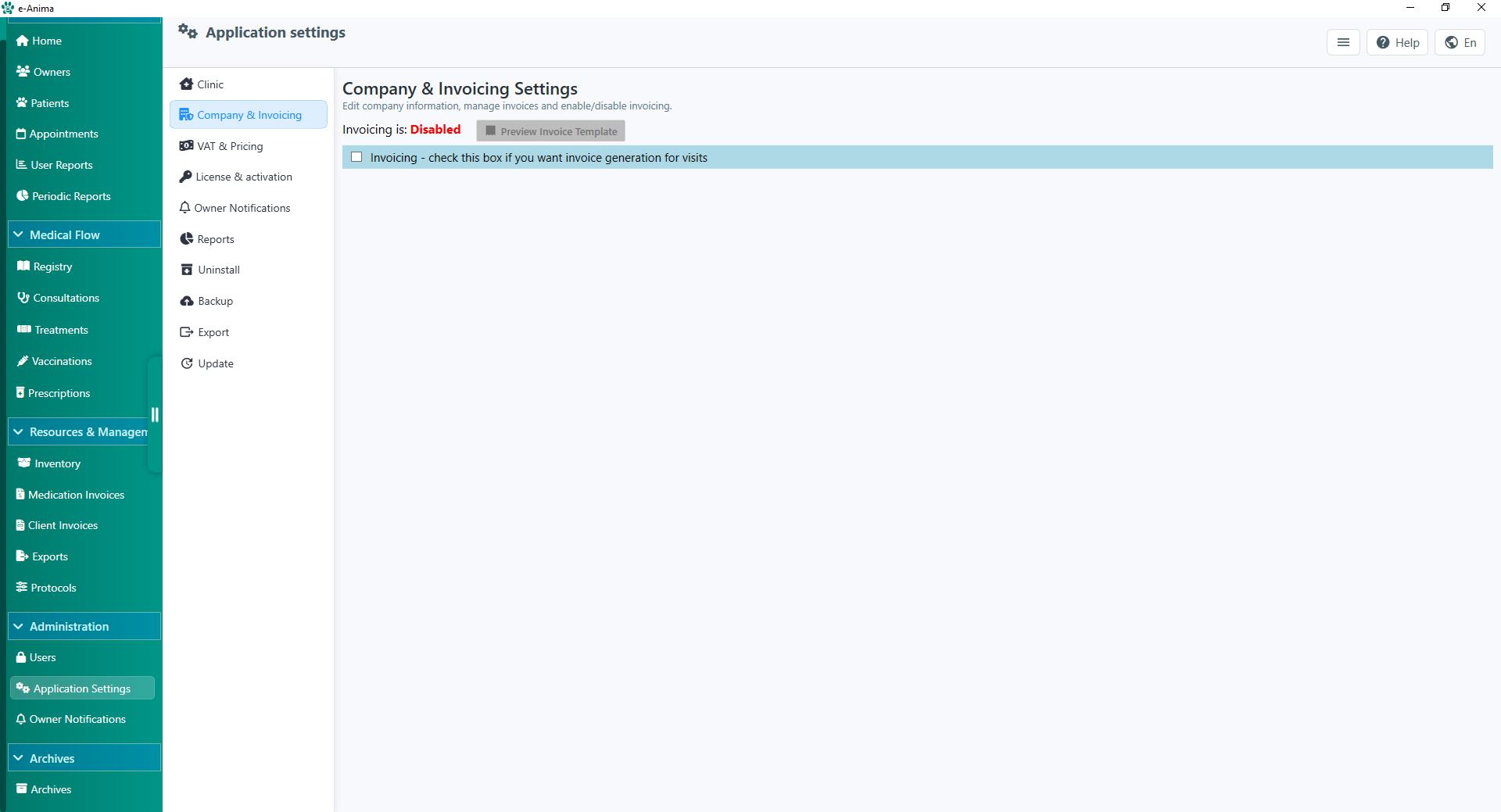
By default, invoicing is toggled off to allow for medical-only use. To activate, locate and check the "Enable Invoicing" box.
Step 2: Defining Fiscal Identity
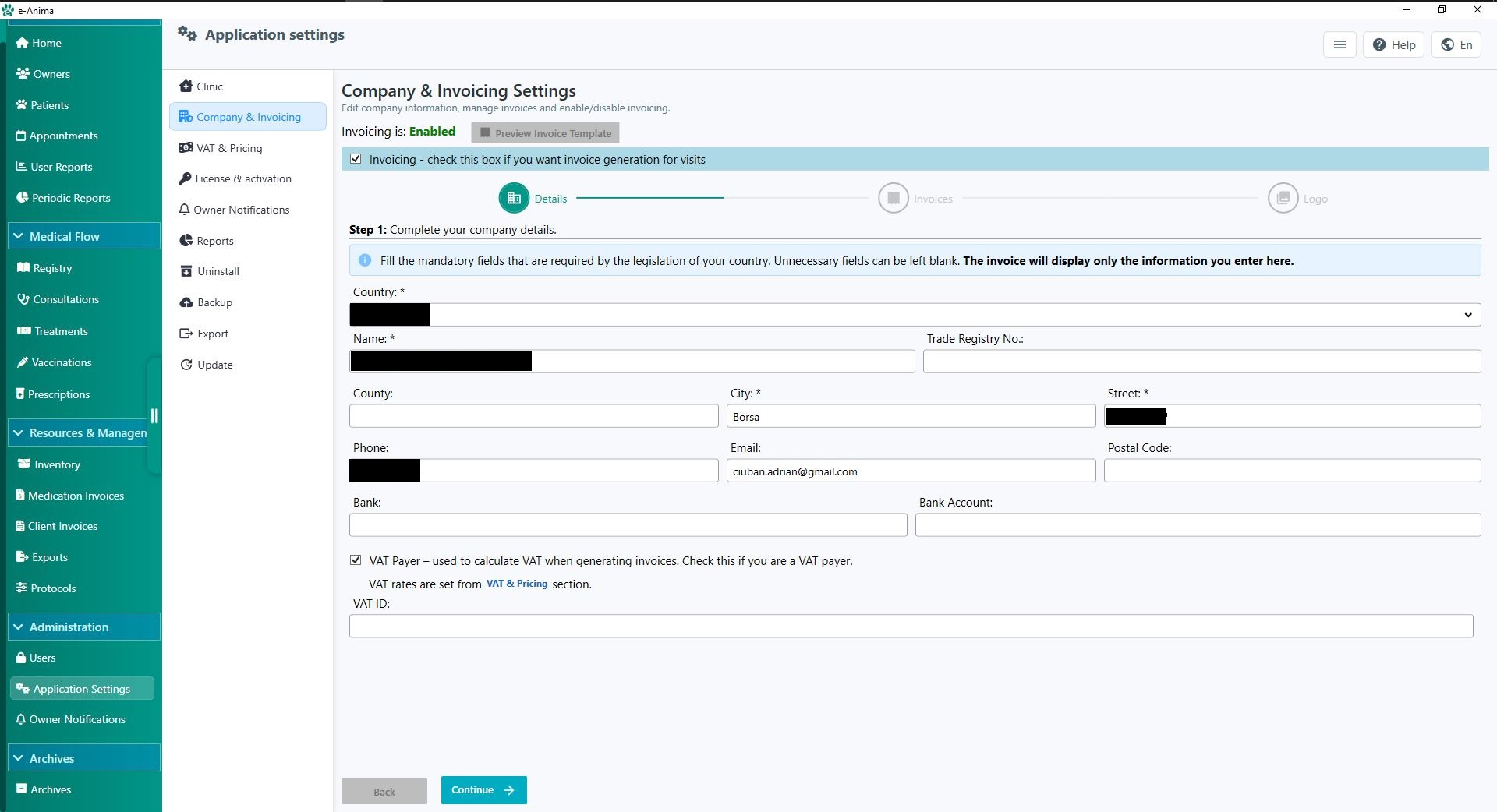
Enter your clinic’s legal name, address, and contact details. If your region requires tax identification, enable the VAT ID field. This data is used to populate the header of every document you issue.
Step 3: Invoicing Continuity & Serial Formats
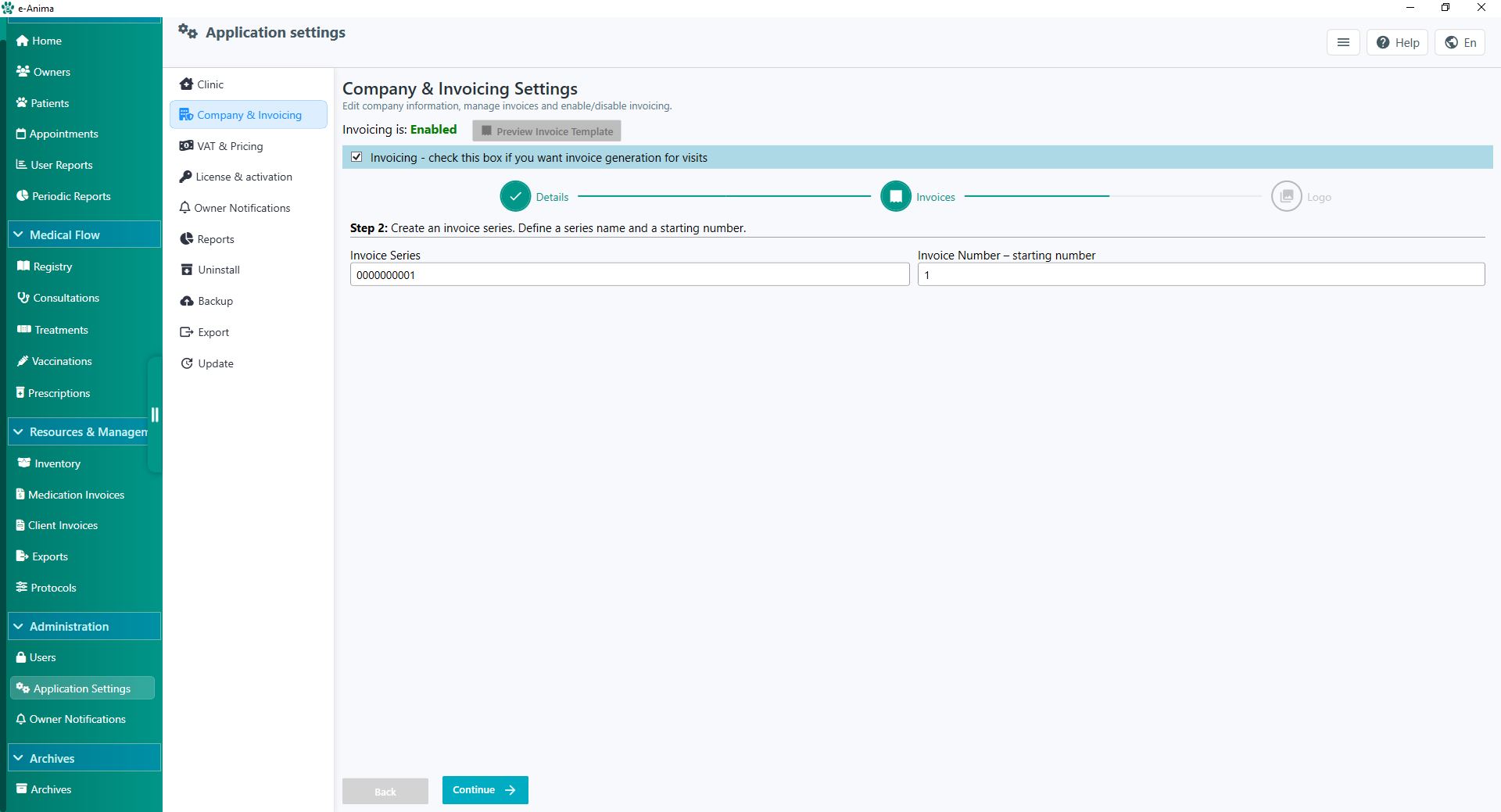
>We understand that clinics often have years of existing financial history. To prevent gaps in your accounting:
- Custom Serial Formats: Use prefixes like
INV-2024-or#0000to match your current filing style. - Index Synchronization: If your last physical invoice was #148, set the Starting Number to 148. e-Anima will automatically generate #149 for your next transaction.
Step 4: Professional Branding
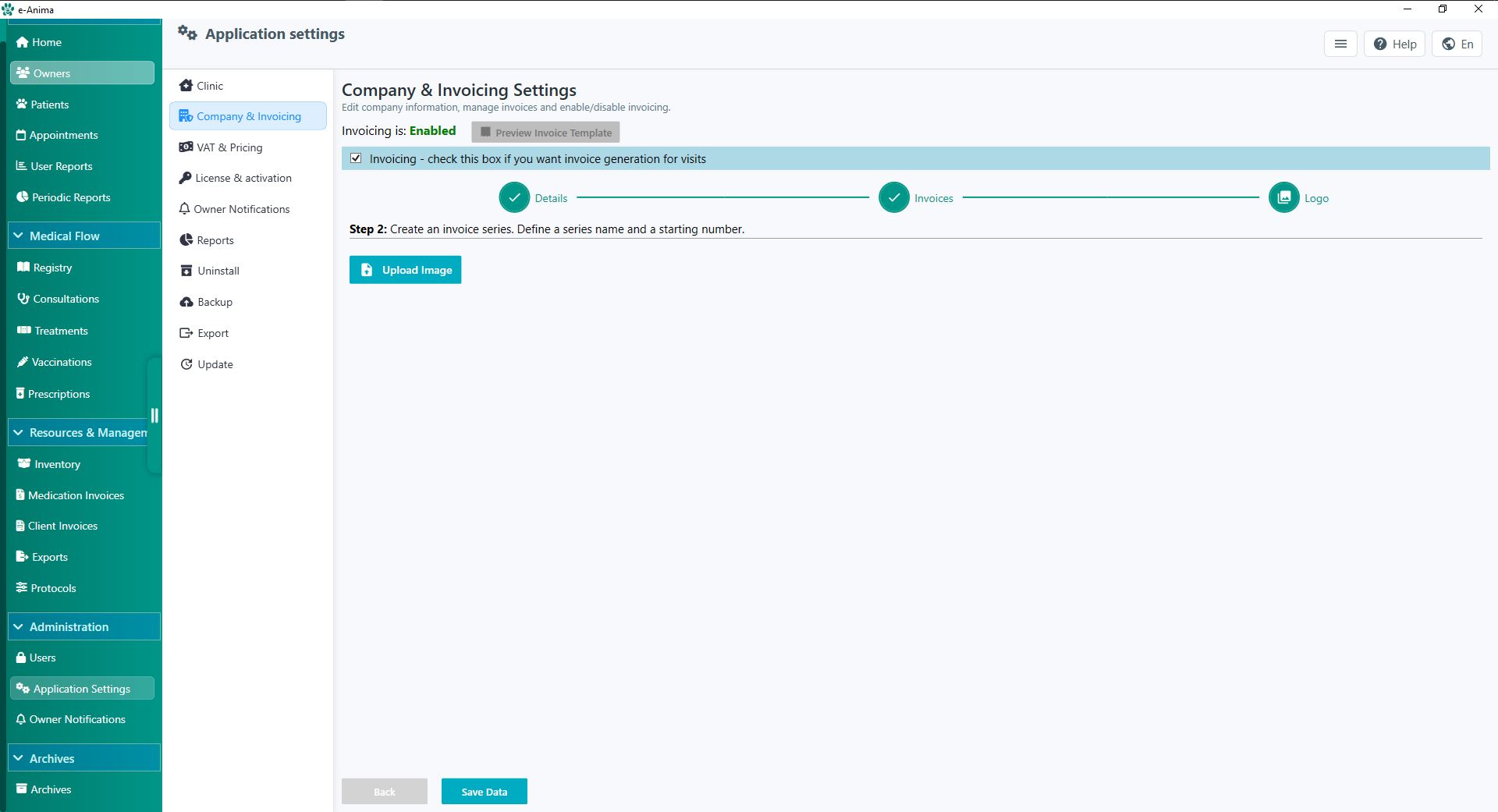
>Upload a high-resolution version of your Clinic Logo. A branded invoice increases client trust and reinforces the professional image of your veterinary hospital.
2. VAT & Pricing Management
Standardizing your pricing ensures consistency across your staff and prevents revenue leakage. This section allows you to set the "Global Rules" for your clinic’s economy.
Global Currency & Regional Settings
Select your operational currency. This affects all financial reporting, from daily sales summaries to year-end revenue analytics.
Standardized Consultation Fees
Establish a baseline price for standard visits. While these can be adjusted during a consultation, having a default value speeds up the checkout process significantly.
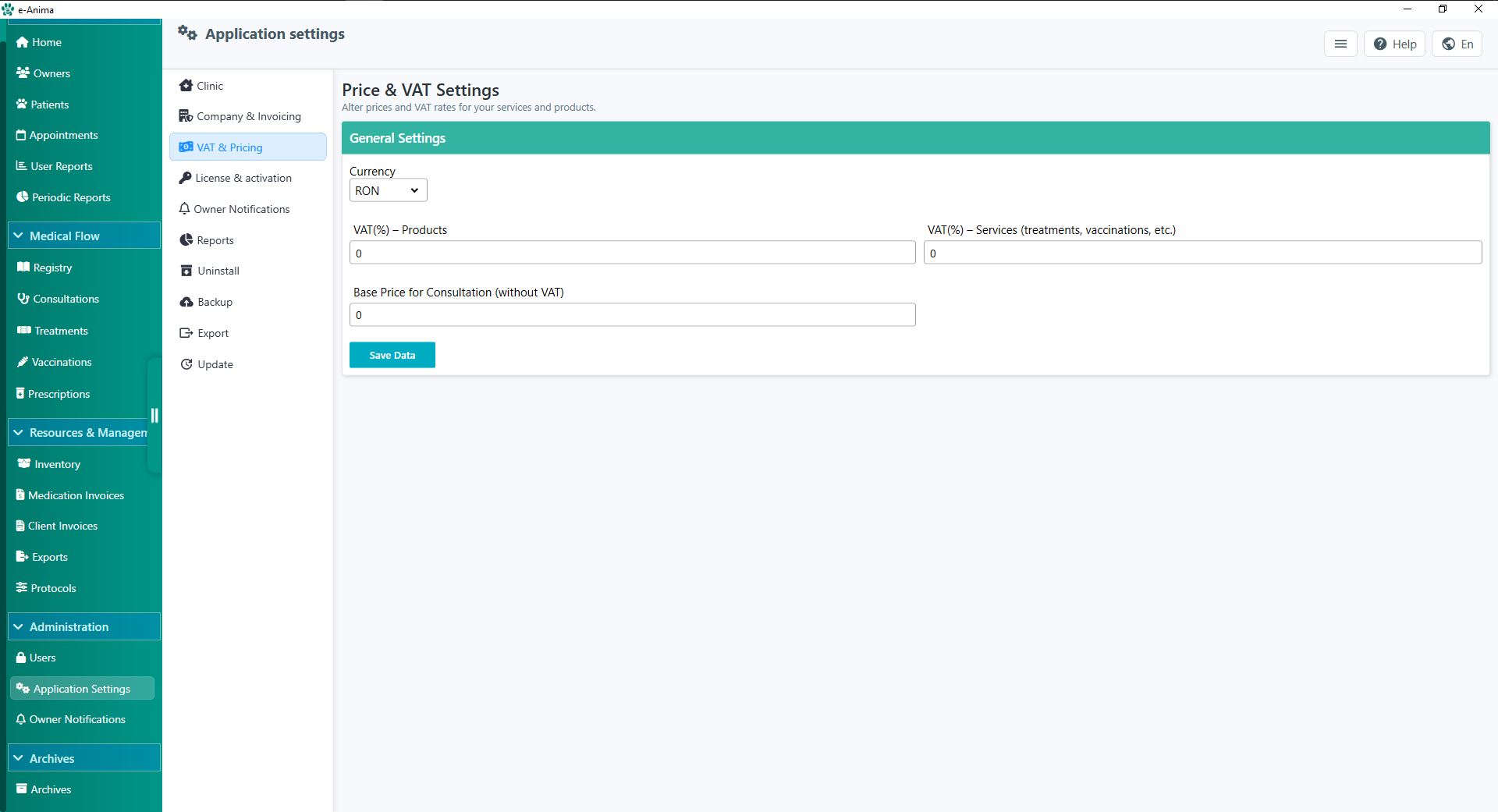
Tax Compliance: Product & Service VAT
Veterinary practices often deal with different tax brackets for medical services versus retail products (like pet food). Set these percentages globally here to ensure automated VAT calculations on every line item.